
Cubebrush opens the Moko painting app beta
Moko is a painting and image-editing app in closed beta on Windows. It imports Photoshop and Clip Studio brushes and PSDs, and is planned as a one-time purchase.
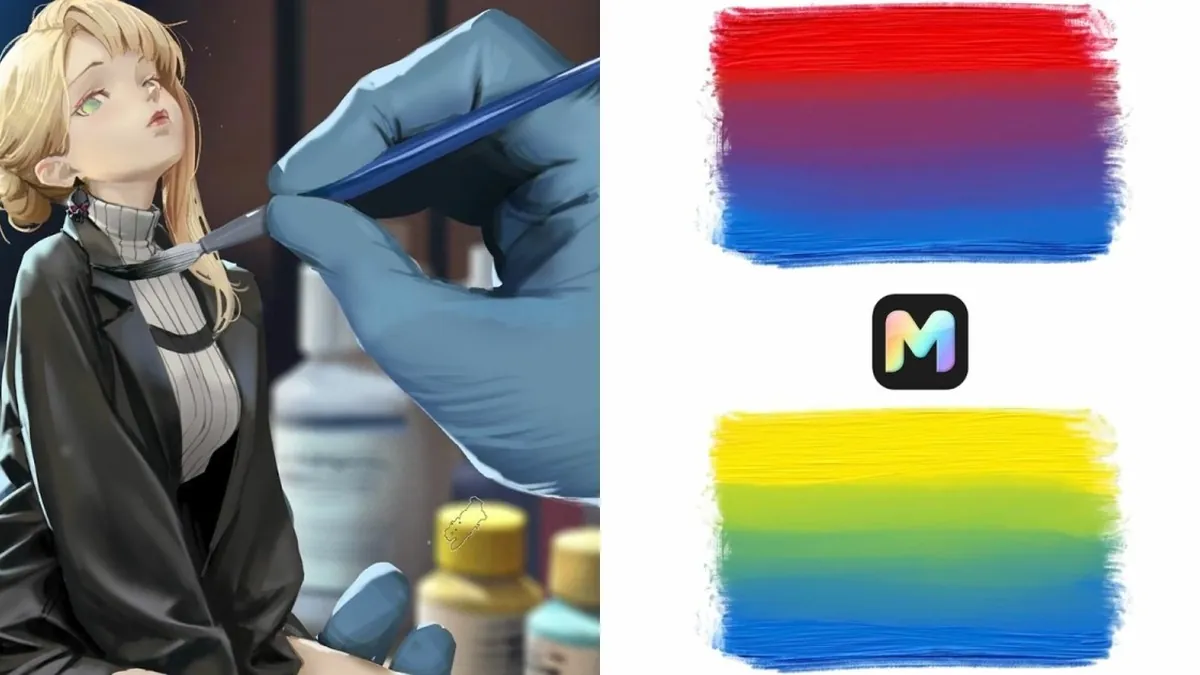
Cubebrush, the art marketplace team, has opened a closed beta of Moko, a desktop app for digital painting and image editing. 80 Level reported the beta on 19 October. Cubebrush CEO Marc Brunet describes it as "everything Photoshop and Clip Studio Paint have in common, and then some."
The beta is for Windows only, by invitation. A Mac version is next, and Linux and iPad versions are planned, with no dates. Moko's site says it will be a one-time purchase with a perpetual licence, and that no subscription is planned.
To make switching easier, Moko imports Photoshop ABR brushes, Clip Studio Paint SUT brushes and SUTG brush groups, plus layered RGB PSD files. Its feature list includes layers and masks, adjustment layers, gradient maps, reference boards and timelapse recording. You can also make new brushes from your own artwork. A live brush preview shows a stroke on the canvas before you paint it. Brunet says a "Natural Paint" engine tracks the paint carried by each bristle, so a brush can pick up colour, lay it down and slowly run dry. Moko also has a pigment-style colour-mixing mode.
The site says the beta community accepts human-made art and assets only, with no AI-generated content.
Why it matters: Concept, UI and 2D artists on game teams often rely on Photoshop subscriptions. Moko is worth trying if you want a painting-first tool that can use your existing brushes.
Source: 80 Level (official post, opens in a new tab)