
Steamworks now shows Steam Deck framerate data
Steam Deck Verified games now get a framerate distribution chart, built from players who opt in. It is under Technical Tools > Steam Hardware Compatibility Review.
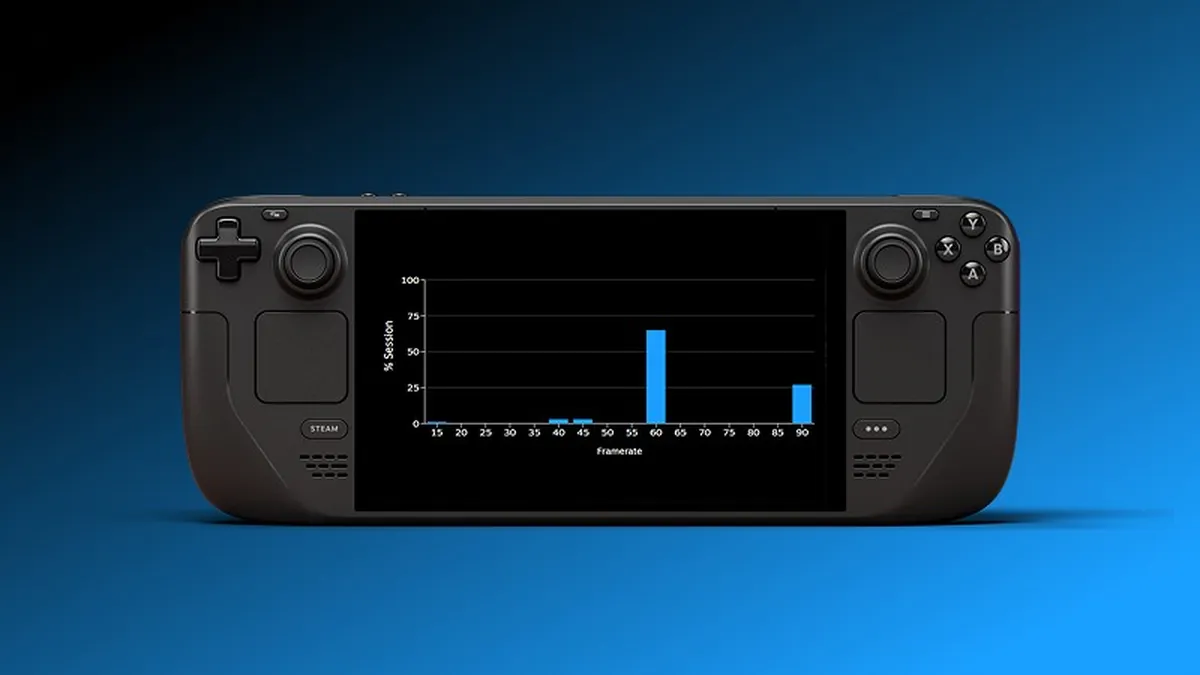
Steam developers can now see how smoothly their games run on Steam Deck. On 1 October Valve added framerate distribution data to the Steamworks partner dashboard, available for titles that are Steam Deck Verified.
You can find it on your partner landing page under Technical Tools, then Steam Hardware Compatibility Review. The new chart shows a distribution of framerates, built from Steam Deck players who have opted in to sharing anonymised framerate data. Valve says it is meant to be read alongside the existing average framerate and customer feedback charts.
Valve also gives a few caveats. Steam Deck LCD tops out at 60 FPS and Steam Deck OLED at 90 FPS. Players can set their own frame limits, often to save battery, so a game that can hold 90 FPS may still report lower framerates. Some players dock to external displays with higher refresh rates, and the data includes everything sampled, including loading screens where framerate can drop.
Why it matters: Deck performance is a frequent topic in reviews. A real distribution from players, rather than a single average, helps you find whether problems affect a few sessions or most of them, and decide where optimisation work will pay off.
Source: Steamworks (official post, opens in a new tab)